
One scan, one label
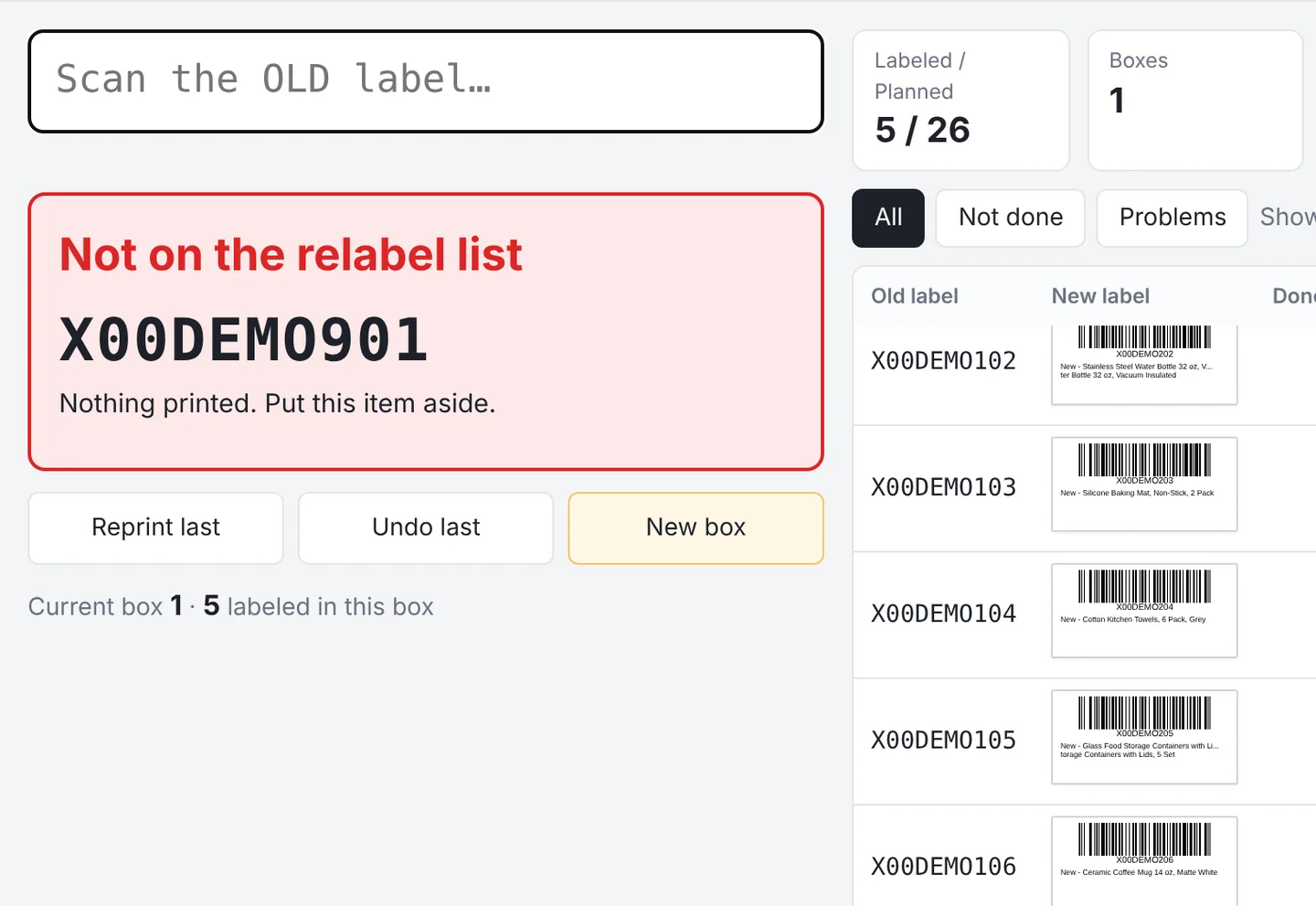
Scan and the new label prints. No print dialog and no picking a printer.
Import your client’s relabel list and the new label PDFs. Scan the barcode on the old label and the matching FNSKU label comes out of your label printer, with no print dialog. Barcodes that aren’t on the list are stopped on the spot. We built it for relabeling in our own warehouse near Boston, and it’s now open to other 3PLs and prep centers for a free trial.
Windows 10 / 11 · Common label printers · USB barcode scanner · Setup guide
Labels print as soon as you scan
English, Chinese and Spanish, voice prompts included
To set up a Windows PC and start printing
One-click Excel export: workload, summary, packing list and more
Relabeling by hand means looking up each new FNSKU on a spreadsheet, then finding the right label in a stack. On a busy day, somebody grabs the wrong one. Once a mislabeled unit is checked in at Amazon, it counts as a different product and is hard to trace. The D&S Relabel System does the lookup and the matching, so your team only scans and sticks.
Every feature comes from relabeling work in our own warehouse.
Scan and the new label prints. No print dialog and no picking a printer.
Barcodes not on the list, barcodes without a label and units already relabeled get a red or yellow alert with a voice prompt. Nothing prints.
If one old barcode maps to two different new ones, it isn’t imported. It’s listed for a person to resolve. Two old barcodes mapping to one new barcode work fine.
New box, undo and reprint each have a command barcode. Stick them on the workstation and scan.
Progress saves on the computer automatically. Close the app or lose power, then pick up where you left off.
Done vs. planned, boxes, reprints and bad scans update live. Reprints aren’t counted twice, and undo takes one off.
English, Chinese and Spanish. Scan prompts, voice prompts and the Excel export follow the language you pick.
Any label printer with a Windows driver. First-time setup walks you through paper size and print direction.
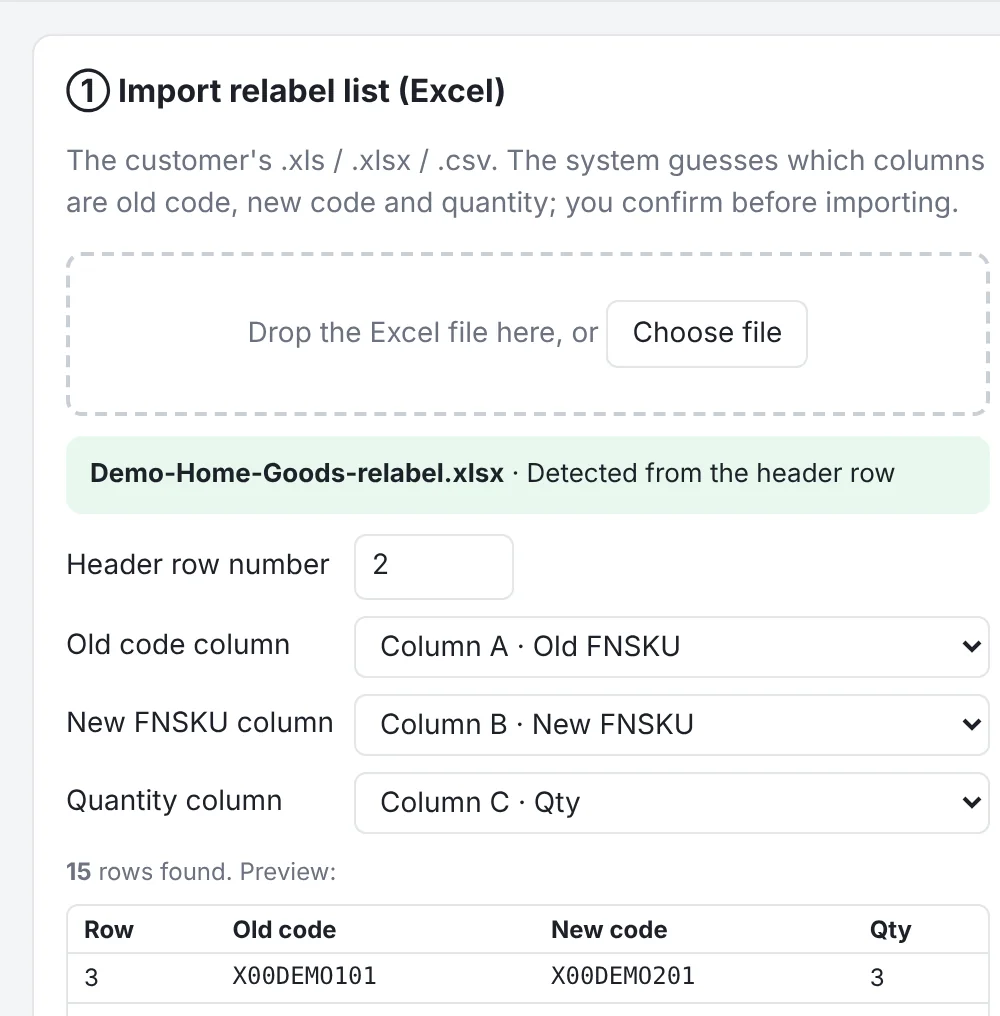
No reformatting. Drop in the .xls, .xlsx or .csv relabel instructions your client sent.
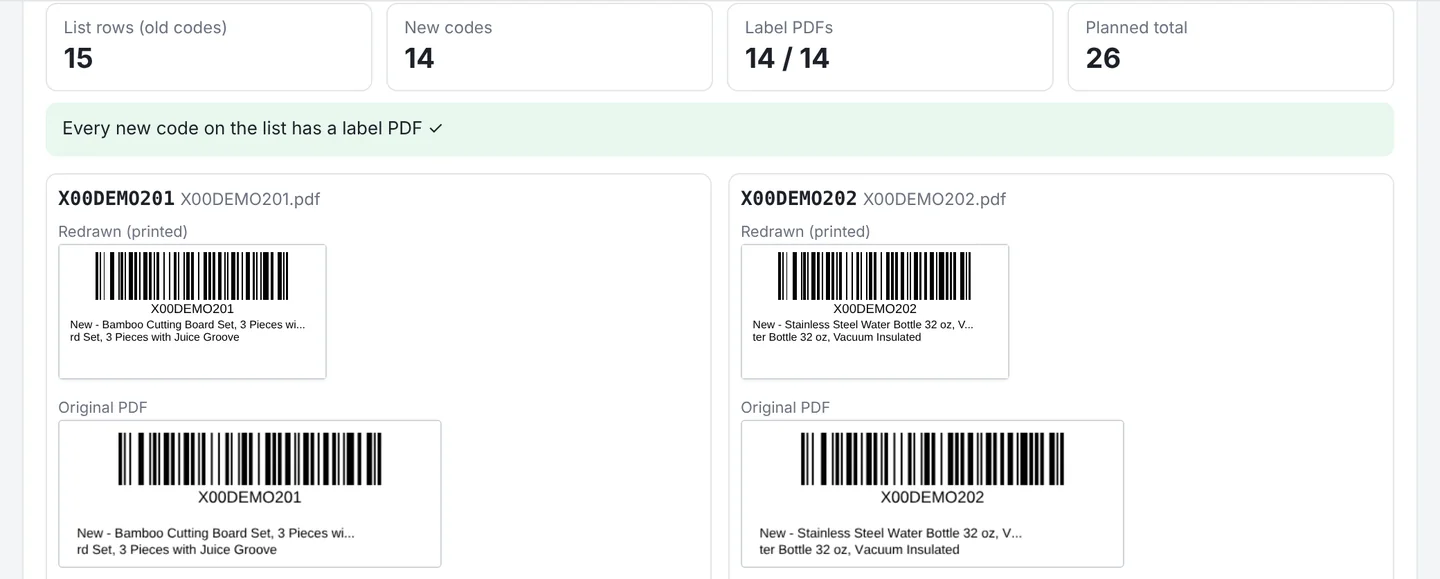
The new FNSKU labels you download from Seller Central, one PDF per barcode.
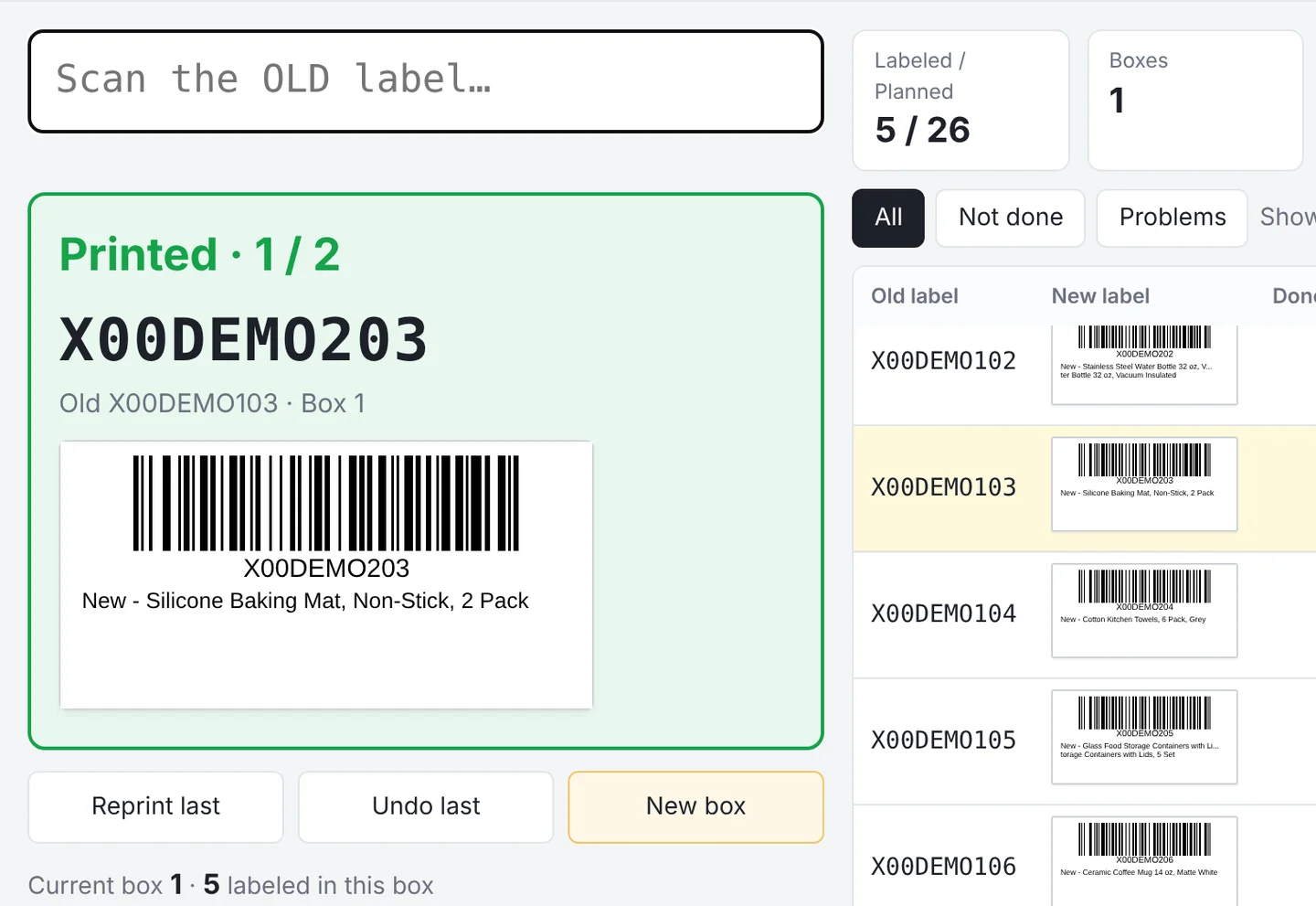
The new FNSKU, product name and box number show in large type, so your packer can double-check before sticking.
When it should stop, the printer stays quiet.
Finish a batch, click Export Excel, and send it to your client or keep it for billing.
| Old FNSKU | New FNSKU | Planned | Done | Diff |
|---|---|---|---|---|
| X00DEMO101 | X00DEMO201 | 4 | 4 | 0 |
| X00DEMO102 | X00DEMO202 | 2 | 2 | 0 |
| X00DEMO103 | X00DEMO203 | 2 | 2 | 0 |
| X00DEMO104 | X00DEMO204 | 1 | 0 | -1 |
| X00DEMO105 | X00DEMO205 | 2 | 2 | 0 |
The Relabel System handles one step on the floor: scanning old labels and printing new ones. It runs alongside the WMS you already use, with no data migration and no change to your inbound or outbound process.
Sign in online, licensed per computer. A fit for 3PLs and prep centers that relabel FBA returns and removal orders.
Request a free trialSend your FBA returns and removals to our warehouse in Malden, MA, just north of Boston. We count, relabel and repack them with this system, then send them back to FBA or move them into fulfillment.
Ask about relabelingMacs and other computers can sign in to check progress, import lists and export results, but can’t print.
No. The Relabel System only handles scanning old labels and printing new ones on the floor. It runs alongside your WMS with no data migration.
No. Relabel lists, label PDFs and scan records stay on your own computer. Our servers keep only account and license details, such as your warehouse and registered computers, plus label counts (numbers only). See our Privacy Policy.
Any label printer that has a Windows driver and prints normally. 2 × 1 in labels are most common. First-time setup walks you through paper size and print direction.
A standard plug-and-play USB scanner that reads 1D barcodes. It types like a keyboard, so there’s nothing extra to install.
It’s licensed per computer, so add one for each workstation. Each computer works on its own and keeps its progress locally. To move work to another computer, use Back up progress and Restore backup.
Yes. The app is new and hasn’t been downloaded by many people yet, so your browser and Windows may warn you. Choose Keep when downloading, then More info → Run anyway when installing. See the setup guide.
Yes. Start with a free trial and pay only if it works for you. For pricing, use the quote form or call us.
In the quote form, check “3PL partnership” and write “Relabel System trial” in the message, or just call us. We’ll set up a trial account for your warehouse.